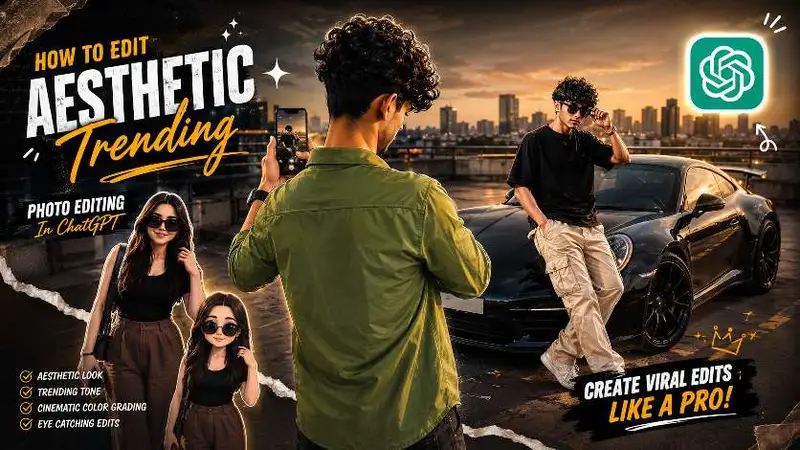
Your regular photo can become a stunning anime character in under 30 seconds — and the Bihar preset anime prompt is exactly how people are doing it right now.
This editing trend has exploded across Instagram Reels and Telegram groups, especially among creators who want that classic anime cartoon look with an Indian touch. Whether you use ChatGPT or Gemini, this guide gives you ready-to-use prompts, step-by-step instructions, and tips that actually work.
By the end of this article, you will have everything you need to create professional-quality anime photo edits — for free.
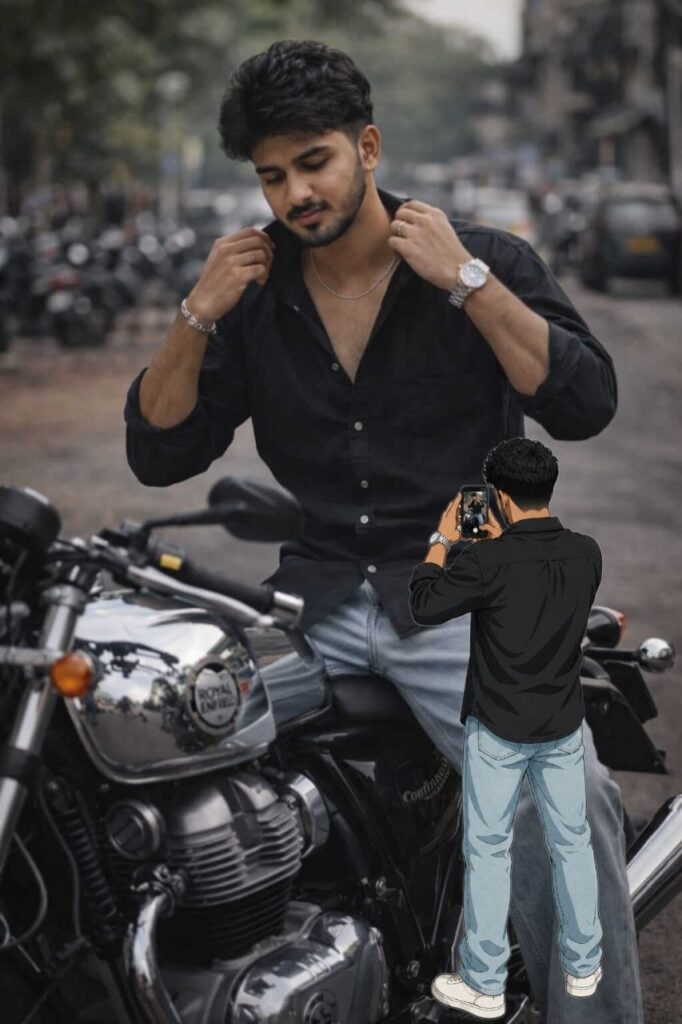
                                                            Prompt Copy
An anime-style full-body illustration, viewed from the back. The person is standing and holding a smartphone up to take a picture of the person on the image. The person is wearing the same outfit as the person in the picture and looks identical make the background white The art style has bold, dark outlines and flat, clean colors, blending 2D character art with a photo background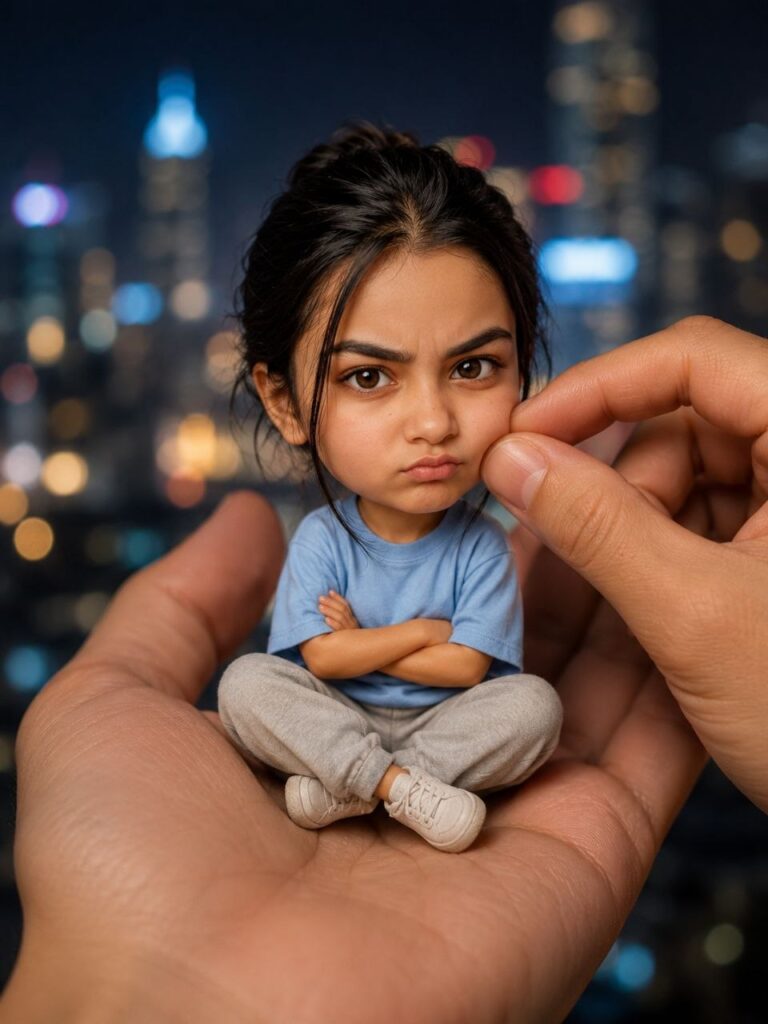
Create a stylized bia-head miniature portrait in a 3:4 aspect ratio. Person appears as a tiny character with a slightlv enlarged head and small body, sitting inside a large human hand Pose: seated cross-leqged, hands crossed, slightly pouty, angry but very cute expression, looking at the camera. Environment: blurred city night background with bokeh lights. Add a second hand gently pinching/ adjusting the person's cheek for a playfu effect.What Is a Bihar Preset Anime Prompt?
A Bihar preset anime prompt is a specific text instruction given to AI image tools like ChatGPT or Gemini to convert a real photo into an anime-style illustration.
The word “preset” here means the prompt is pre-written and ready to use — like a filter setting that is already optimized. You don’t need to write it from scratch every time.
Bihar preset refers to a style that became popular among Bihar and UP-based creators on Instagram, featuring warm skin tones, expressive eyes, and vibrant backgrounds typical of South Asian aesthetics blended with anime art style.
Why Is This Trend So Popular?
Anime-style edits get significantly higher engagement on Instagram Reels and WhatsApp Status compared to plain photo posts. The colorful, dramatic look naturally grabs attention in a crowded feed.
Young creators in Bihar, UP, and across India are using these prompts to create profile pictures, festival posts, and Reels thumbnails — all without paying for any editing app.
Best Bihar Preset Anime Prompt for ChatGPT
This is the most tested and refined version of the Bihar preset anime prompt for GPT-4o. Copy it exactly as written.
“Convert this photo into a high-quality anime illustration. Keep the person’s face structure, skin tone, and expression exactly the same. Apply a warm golden skin tone with detailed anime-style eyes — large, expressive, and shiny. The hair should be stylized with smooth shading and bold outlines. Background: a soft bokeh village scene with green fields and a golden sunset. Art style: Studio Ghibli meets modern anime. Sharp lines, vivid colors, cinematic lighting.”
How to Use This Prompt on ChatGPT
- Open ChatGPT (GPT-4o model — free or Plus)
- Click the image icon and upload your photo
- Paste the prompt above in the message box
- Hit send and wait 10 to 15 seconds
The result will be a fully rendered anime version of your photo. If the face looks different, add: “Do not change the face structure. Keep it identical to the original photo.”
Bihar Preset Cartoon Prompt for Gemini
Google Gemini handles the Bihar preset cartoon prompt slightly differently — it tends to produce softer, more illustrated results compared to ChatGPT’s sharper anime style.
“Transform this image into an anime cartoon portrait. Maintain the original person’s facial features, complexion, and expression. Style: vibrant Indian anime with warm earthy tones, detailed eyes, and smooth cel-shading. Add a colorful traditional background with marigold flowers and soft lighting. The overall feel should be festive and artistic.”
Gemini vs ChatGPT for Anime Prompts
Gemini works well for softer, poster-style anime art. ChatGPT (GPT-4o) gives sharper, more detailed results with better face accuracy. If face similarity matters most to you, use ChatGPT. For artistic, illustrated looks, Gemini is excellent.
How to Use Anime Cartoon Prompts Step by Step
Using a chatgpt anime prompt for photo editing takes less than two minutes once you know the process.
Step 1: Choose a clear, front-facing photo with good lighting. Avoid blurry or dark images — AI tools struggle with low-quality inputs.
Step 2: Open your AI tool (ChatGPT or Gemini) on mobile or desktop.
Step 3: Upload the photo first, then paste the prompt. Do not paste the prompt before uploading — this can cause the AI to ignore the image.
Step 4: If the result isn’t accurate, add specific corrections like: “Make the eyes larger” or “Change background to mountains.”
Step 5: Download the image and share directly or use it in your Reels and Status.
Bihar Preset Anime vs Regular Anime Prompt — What’s the Difference?
A regular anime cartoon prompt gives you a generic Japanese anime look — fair skin, blue or brown eyes, and a neutral background.
The Bihar preset anime prompt is specifically crafted to preserve warm Indian skin tones, traditional aesthetics, and culturally relevant backgrounds like villages, fields, mustard flowers, or festival settings.
This is why it performs better for Indian audiences on social media. The output feels familiar and relatable — not like a generic filter. Creators from Bihar, Jharkhand, and eastern UP especially prefer this style because the result looks like them, not a foreign character.
Tips to Get Better Anime Photo Results
Getting consistent, high-quality results from your anime cartoon prompt depends on a few key habits.
- Use portrait mode photos — single subject, clear face, minimal background clutter
- Mention specific details — skin tone, eye color, hair style, and background in the prompt
- Avoid group photos — AI tools perform best with one person in the frame
- Try 2 to 3 variations — small prompt changes produce very different results
- Use natural lighting photos — selfies taken near windows work better than flash photos
One more thing: if you want the edit to look hand-drawn, add “watercolor texture, visible brushstrokes” at the end of any prompt.
FAQ
What is a Bihar preset anime prompt?
A Bihar preset anime prompt is a pre-written text instruction for AI tools like ChatGPT or Gemini that converts a real photo into an anime-style cartoon. It is designed to preserve Indian skin tones and add culturally relevant backgrounds, making it popular among Indian social media creators.
How do I use a chatgpt anime prompt for photo editing?
Open ChatGPT with the GPT-4o model, upload your photo, and paste the anime prompt in the message box. The AI will generate an anime version of your photo within 15 to 30 seconds. Make sure to upload the photo before typing the prompt for best results.
Can I use the Bihar preset cartoon prompt on Gemini for free?
Yes, Google Gemini is free to use and supports image-based prompts. You can upload your photo and paste the cartoon prompt directly. Gemini produces softer, more illustrated anime results compared to ChatGPT.
Which AI tool gives the best anime photo results — ChatGPT or Gemini?
ChatGPT (GPT-4o) gives sharper anime results with better face accuracy. Gemini produces softer, artistic-style illustrations. For Instagram profile pictures or Reels thumbnails where detail matters, ChatGPT is the better choice.
Does the anime prompt work on group photos?
AI anime prompts work best on single-person photos. Group photos often result in distorted faces or uneven quality across subjects. For group edits, process each person separately and combine the results later.
Why does the face look different in my anime edit?
This happens when the AI prioritizes the art style over face accuracy. Fix it by adding this line to your prompt: “Keep the facial features identical to the original photo. Do not alter face structure, nose shape, or expression.”
Is the Bihar preset anime style different from Japanese anime style?
Yes. Standard Japanese anime prompts produce fair-skinned characters with generic backgrounds. The Bihar preset style specifically preserves warm Indian skin tones and adds elements like golden fields, marigolds, or village sunsets — making the output feel culturally authentic.
Can I sell anime-edited photos made with AI prompts?
This depends on the AI tool’s terms of service. For personal use, social media, and content creation, these edits are generally fine. For commercial use or selling prints, check the usage policy of the specific tool you used.
Give Your Photos an Anime Makeover Today
The Bihar preset anime prompt is one of the easiest ways to create scroll-stopping content for Instagram, WhatsApp, and Reels — no design skills, no paid apps, no complicated steps.
Pick a clear photo, copy the prompt from this guide, and paste it into ChatGPT or Gemini. Your anime edit will be ready in seconds.
Try it right now and share your result in the comments — would love to see what you create.